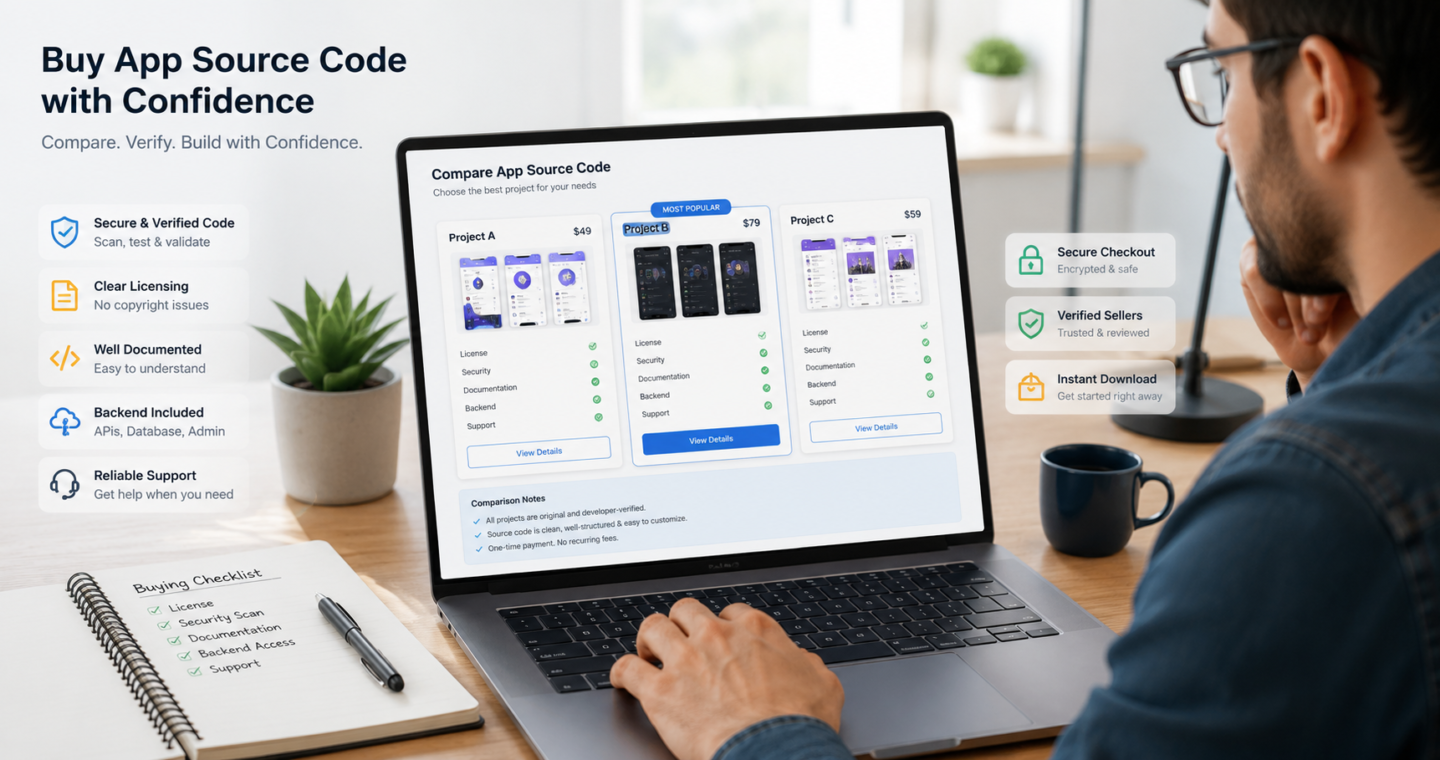
Buying app source code can give you a working foundation for a mobile application without requiring every screen, feature and backend service to be developed from the beginning.
However, choosing source code only because it has an attractive demo or a low price can create expensive problems later. A project may look complete while containing outdated dependencies, unclear licensing, insecure authentication, missing backend files or poor documentation.
The correct product is not necessarily the one with the longest feature list. It is the one that fits your business model, technical ability, hosting environment and intended method of distribution.
This guide provides a practical 15-point checklist for evaluating Android, Flutter, React Native and other mobile app source code before making a purchase.
Quick answer: Before buying app source code, verify the licence, complete file contents, live demo, technology versions, backend and admin panel, documentation, security, third-party costs, support terms and total customization budget.
What is mobile app source code?
Mobile app source code is the collection of editable project files used to build an application. Depending on the product, the package may include:
- Android, iOS or cross-platform application files
- A web-based admin panel
- Backend application programming interfaces
- Database structure
- Installation documentation
- Design assets
- Configuration examples
- Update history
- A licence describing permitted use
Not every product includes all these components. Some products are only user-interface templates. Others provide a complete system containing a customer application, provider application, administration panel, backend and database.
Always identify what is actually included before comparing prices.
1. Define the application you intend to launch
Start with your business requirements rather than browsing products without a plan.
Write down:
- The problem your application will solve
- The intended users
- Required platforms
- Essential features
- Optional features
- Revenue model
- Countries in which it will operate
- Integrations you need
- Expected launch date
- Available customization budget
For example, a food-delivery application may require separate customer, restaurant and driver applications. It may also need delivery zones, online payments, order tracking, commissions, notifications and a restaurant dashboard.
A basic restaurant menu template would not satisfy those requirements even if its screenshots look similar.
2. Confirm the licence and ownership rights
The seller must either own the product or have clear authorization to distribute it.
Read the licence before downloading or paying. Confirm whether it permits:
- Commercial use
- Modification
- Publishing an end product
- Use for one project or multiple projects
- Use for client projects
- Removal of the original branding
- Distribution through application stores
- Continued use after support expires
Buying source code does not automatically give you the right to redistribute the original files to other buyers. The right to publish a customized end product and the right to resell the source code itself are different rights.
Avoid products with vague descriptions such as “personal use only” when your purpose is commercial. Save a copy of the licence and purchase invoice with your project records.
3. Make sure you are receiving editable source code
A compiled APK, IPA file or hosted demonstration is not the same as editable source code.
Before purchasing, confirm the package includes the original project files required by the development environment. Depending on the product, these might include:
- Dart and YAML files for Flutter
- Kotlin or Java files for Android
- Swift files for iOS
- JavaScript or TypeScript for React Native
- PHP files and database migrations for the backend
- Gradle, dependency and environment configuration files
- Database export or migration instructions
The listing should clearly distinguish between an installable demonstration build and the actual editable project.
4. Test the live demonstration properly
Do not limit your test to the homepage or login screen.
Try the main user journey from beginning to end. For an ecommerce application, this might include:
- Creating an account
- Searching for a product
- Adding it to the cart
- Applying a coupon
- Entering an address
- Selecting a payment method
- Placing an order
- Viewing the order in the admin panel
- Updating the order status
- Receiving a notification
Test the demonstration on both a desktop and a mobile device where applicable.
Record every broken link, unfinished screen, placeholder message and inconsistent feature. Ask the seller whether the issue exists only in the public demonstration or also in the downloadable package.
5. Verify the technology and supported versions
A source-code product must be compatible with the development tools, server and operating systems you intend to use.
Check the exact versions of:
- Programming language
- Framework
- Mobile software development kit
- Build tools
- Database
- PHP or Node.js
- Web server
- Required extensions
- Third-party packages
- Android and iOS deployment targets
“Built with Flutter” or “requires PHP” is not enough information. The product page should state actual supported versions and the date on which the package was last tested.
Outdated code may require migration work before development can begin. Include that work in your budget.
6. Check what the complete system contains
A mobile product often depends on more than the visible application.
Confirm whether the package provides:
- Customer application
- Service-provider or vendor application
- Delivery or driver application
- Admin panel
- Backend API
- Database
- Web frontend
- Installation wizard
- Push-notification integration
- Email configuration
- Payment integration
- Documentation
Ask whether every component shown in the demo is included in the listed price.
Some demonstrations include premium add-ons that are sold separately. The product description should identify those add-ons clearly.
7. Evaluate code quality and structure
Poorly structured code makes every future change slower and more expensive.
A developer should inspect a sample, repository excerpt or screensharing demonstration before a high-value purchase. Look for:
- Logical folder organization
- Consistent file and class names
- Separation between interface and business logic
- Reusable components
- Centralized configuration
- Environment-variable support
- Proper error handling
- Reasonable comments
- No hard-coded secrets
- No duplicated code across many files
A large project should not require editing dozens of files simply to change a logo, API address or primary colour.
When a seller cannot provide any information about architecture or code organization, treat that as a risk.
8. Perform a security review
Security should be evaluated before the product handles real customer information.
At a minimum, review:
- Password storage
- Login and session handling
- Access-control rules
- API authentication
- Administrator permissions
- Input validation
- File-upload restrictions
- Database queries
- Error messages
- Secrets and API keys
- Dependency versions
- Rate limiting
- Password-reset process
Remove all demonstration accounts and default passwords before launch.
Applications that process payments, identity information, health information or other sensitive data should receive an independent security review. A marketplace listing or malware scan is not a complete security audit.
9. Review the documentation before purchase
Good documentation reduces installation time and dependence on the original developer.
Useful documentation should explain:
- System requirements
- Local development setup
- Server installation
- Database configuration
- Environment variables
- Admin-panel access
- Application build process
- Package-name changes
- Logo and colour changes
- Push notifications
- Email configuration
- Payment configuration
- Production deployment
- Common errors
- Update procedure
A short file saying “upload and install” is not sufficient documentation for a complex mobile platform.
Ask for the documentation table of contents or a public documentation preview before paying.
10. Calculate third-party and recurring costs
The source-code price is only one part of the launch budget.
The product may rely on external services for:
- Hosting
- Cloud storage
- Email delivery
- SMS verification
- Maps and location data
- Push notifications
- Video calling
- Artificial-intelligence features
- Payment processing
- Domain registration
- Application-store accounts
- Premium libraries
- Licensed fonts or images
Create a monthly cost estimate based on your expected number of users.
Also confirm whether API keys shown in the demonstration are included. In most cases, you should create and pay for your own third-party accounts.
11. Estimate the required customization
Most source-code products still require customization before public release.
Common changes include:
- App name
- Logo
- Colour system
- Fonts
- Package identifier
- Domain and API address
- Email templates
- Currency
- Language
- Legal pages
- Payment gateways
- Tax settings
- Notifications
- Store screenshots
- Analytics
- Privacy settings
Feature changes are generally more expensive than branding changes.
Prepare two separate budgets:
- Launch customization: changes required before publishing
- Future development: improvements planned after validating the product
This separation prevents optional ideas from delaying the first launch.
12. Test performance on realistic data
A demo with ten products and three users does not prove that the system will perform well with a large catalogue.
Ask how the project handles:
- Large product lists
- Image optimization
- Pagination
- Search
- Database indexing
- Caching
- Background tasks
- Slow internet connections
- Repeated API calls
- Failed requests
- Concurrent users
You do not need enterprise infrastructure for a new project, but the application should have a reasonable path for growth.
13. Understand updates and support
Check what the seller means by “support.”
Support might include:
- Help with installation
- Answers about existing features
- Bug fixes
- Compatibility updates
- Documentation clarification
It may not include:
- Custom feature development
- Server administration
- Third-party API configuration
- Application-store submission
- Design changes
- Migration from another system
Review the update history. A regular, meaningful changelog is more useful than a simple “recently updated” label.
Also confirm what happens after the initial support period expires.
14. Verify publishing and policy requirements
A technically working application is not automatically ready for public distribution.
Before launch, confirm that you can provide:
- Your own branding
- A privacy policy
- Terms of service
- Data-deletion instructions where needed
- Accurate permission explanations
- Customer-support contact details
- Original store screenshots
- Appropriate content ratings
- Required account credentials for reviewers
- Proof of rights to included media and software
Do not publish the demonstration application unchanged. Replace sample content, remove unused permissions and test every production integration.
15. Calculate the true launch cost
Use the following formula:
Source-code price
+ developer customization
+ security review
+ hosting
+ third-party services
+ application-store accounts
+ legal and policy preparation
+ testing
+ marketing assets
+ maintenance
= estimated launch cost
A more expensive product with clean code and complete documentation may have a lower total launch cost than a cheaper product that requires extensive repairs.
Compare products using total cost, not only purchase price.
Source-code evaluation scorecard
Score each product before purchasing.
| Area | Maximum score |
|---|---|
| Clear commercial licence | 20 |
| Security and dependency condition | 15 |
| Technology compatibility | 15 |
| Complete system files | 15 |
| Documentation quality | 10 |
| Update and support history | 10 |
| Working demonstration | 5 |
| Ease of customization | 5 |
| Reasonable total launch cost | 5 |
| Total | 100 |
A product scoring below 60 should normally require further investigation. A high score does not replace technical testing, but it gives your team a consistent comparison process.
Warning signs to avoid
Be cautious when a listing has several of these warning signs:
- No clear licence
- No functioning demonstration
- Missing version information
- Only an APK or compiled file
- Copied screenshots
- No documentation preview
- No update history
- Hard-coded credentials
- Unexplained encrypted files
- Unrealistic promises
- No support terms
- No information about the backend
- No evidence that the seller owns the product
A low price should not persuade you to ignore basic verification.
Questions to ask before buying
Send these questions to the seller when the product page does not answer them:
- Which exact framework and language versions are supported?
- Does the download contain complete editable source code?
- Are the backend, database and admin panel included?
- Which features in the demonstration require separate purchases?
- What commercial use does the licence permit?
- Are any fonts, images or libraries subject to separate licences?
- Which third-party services require paid accounts?
- What installation support is included?
- When was the product last tested?
- How are future updates delivered?
- Are known issues documented?
- Can the app name, package identifier and branding be changed?
- Is there a refund process when the files materially differ from the description?
- Is application-store submission included or separate?
- Can a developer inspect sample code before purchase?
Keep the seller’s answers with your invoice and licence.
Frequently asked questions
Is it legal to buy mobile app source code?
It can be legal when the seller owns the product or has authority to license it, and when your intended use is permitted by the licence. Check the licence rather than assuming that every download can be used commercially.
Can I publish purchased source code without changing it?
A public application should normally be customized, configured, tested and reviewed before publishing. You should use your own branding, policies, service accounts and production credentials.
Do I need a developer after buying source code?
Most complete applications require technical work for installation, configuration, branding, API integration, testing and publication. The amount of work depends on the quality of the product and the changes you require.
What is the difference between an app template and complete source code?
An app template may provide screens and interface components without a working backend. A complete system may include the application, backend API, admin panel, database and documentation. Always check the file list.
Can I resell purchased source code?
Only when the licence explicitly grants redistribution or resale rights. Permission to create and publish an end product does not automatically permit reselling the original source files.
Is Flutter, Android or React Native source code better?
The best choice depends on your target platforms, developer experience, existing systems and maintenance plan. Choose technology your team can build, test and maintain rather than selecting it only because it is popular.
Final checklist
Before completing a purchase, confirm that you have:
- Tested the complete demonstration
- Read the licence
- Verified the source files
- Confirmed framework versions
- Reviewed the backend and admin panel
- Read the documentation
- Estimated third-party fees
- Planned customization
- Evaluated security
- Calculated the complete launch budget
A carefully selected source-code product can provide a strong starting point. The buyer still needs to validate the licence, technology, security and business fit before turning that starting point into a reliable commercial application.
Ready to explore available solutions?
Browse: