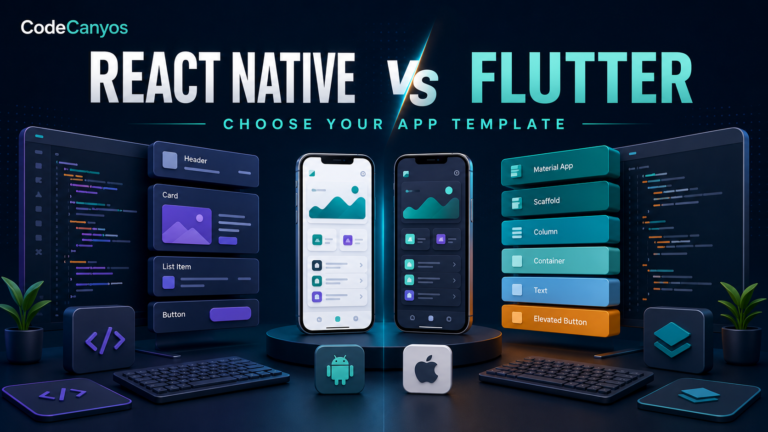
Flutter app source code can accelerate an Android and iOS project from months to weeks, but only when the template matches the required product and can be maintained. A polished demo may hide outdated packages, incomplete backend features or platform-specific work. The buyer must evaluate the full system, not only the interface.
Use this guide while comparing the Flutter app source-code collection. For broader due diligence, also follow the 15-point app source-code checklist.
Define the app before choosing a template
Write the core user journeys, required roles, data, payments, notifications, offline behavior and launch platforms. Separate essential features from later improvements. A template is a strong fit when its existing architecture supports the essential journeys without replacing the foundation.
Do not choose only by screen count. Ten connected, tested screens are more valuable than fifty disconnected mockups.
Confirm the Flutter and Dart versions
Record the exact SDK versions used for the last successful build. Check whether the project uses sound null safety and supported Android and iOS tooling. Upgrading can affect packages, generated code, themes and platform configuration.
Create an untouched backup, run flutter doctor in the development environment and build the original project before making changes.
Inspect the architecture
Look for a clear separation between interface, business logic, data access and configuration. Determine which state-management approach is used and whether it is applied consistently. Routes, themes, localization, API endpoints and environment values should be easy to locate.
Architecture does not need to be fashionable; it needs to be understandable, testable and suitable for the expected scale.
Check package health
Review pubspec.yaml and identify abandoned, unmaintained or heavily outdated dependencies. Read platform setup requirements for retained packages. Advertising, maps, payments, authentication, camera, storage and notifications often need native configuration beyond Dart code.
Update in small steps after establishing a working baseline. Rebuild both platforms after significant package changes.
Understand the backend
Ask whether the download includes a backend, an admin panel, database schema and API documentation. A mobile interface alone does not provide user accounts, secure payments, moderation or cloud data.
Inspect authentication, authorization and validation. Sensitive rules must be enforced on the server. Never place private service credentials directly in the app.
Test Android and iOS independently
Flutter shares interface and logic, but platform builds still differ. Android needs package identity, signing, API targets and permission review. iOS needs bundle identity, certificates, usage descriptions and Xcode configuration.
- Test navigation, deep links and back behavior.
- Test text input, keyboard overlap and safe areas.
- Test permission denial and recovery.
- Test offline, slow network and expired sessions.
- Test push notifications in foreground and background.
Plan branding and design changes
Identify theme colors, typography, spacing, icons, illustrations, application names and store assets. A centralized ThemeData configuration makes changes safer. Review hard-coded colors or text that may be scattered across widgets.
Test accessibility, dark mode if supported and long localized strings. A visual reskin should preserve predictable navigation and readable contrast.
Payments, ads and subscriptions
Confirm which monetization system is implemented and whether it is a demonstration or production-ready integration. Replace all account identifiers, validate purchases securely and handle cancellations, restoration and failed transactions.
Advertising and analytics SDKs affect privacy declarations. Keep an inventory of collected data and implement consent where applicable.
Performance and reliability
Profile startup, scrolling, image loading and memory on a mid-range device. Avoid unnecessary rebuilds, oversized images and network calls inside widget build methods. Add timeouts, loading states and useful error messages.
Crash reporting helps after launch, but it does not replace pre-release testing. Run representative journeys repeatedly on release builds.
Documentation and handover
Useful documentation covers environment setup, configuration, API endpoints, build commands, signing, notifications, payments and deployment. A project that depends on undocumented seller accounts is not ready for independent ownership.
Create your own operations notes during customization so future developers can reproduce the release.
Common Flutter source-code warning signs
- No exact Flutter version or build instructions.
- Numerous abandoned packages or unresolved analyzer errors.
- Backend features shown in screenshots but not included.
- Secrets embedded in the repository.
- Only Android has been tested although iOS is advertised.
- Store or service accounts cannot be transferred or replaced.
Final Flutter buyer’s checklist
Match the template to defined user journeys, verify a clean build, inspect architecture and package health, confirm backend scope and test both target platforms. Budget for customization, policy work, services and maintenance.
Browse Flutter app templates and compare each one with the broader source-code safety guide before purchase.